Why is My Battery Draining Fast & Charging Slow? (And How to Fix It)
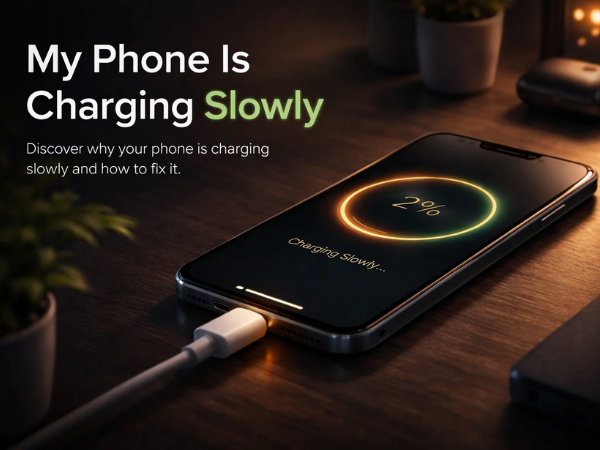
There is nothing more frustrating than watching your battery percentage drop like a stone, only to plug it in and see it crawl back up at a snail's pace. If you feel like you are constantly tethered to a wall socket, you aren’t alone.
"Fast drain" and "slow charge" are the two most common complaints smartphone and tablet users face. But before you panic and buy a new device, let’s troubleshoot the issue. Often, the culprit is a hidden setting or a faulty accessory that is easy to fix.
Here is your expert guide to diagnosing and fixing battery woes.
Part 1: Why is My Battery Draining So Fast?
Think of your battery like a bucket of water. If there are holes in the bottom, it doesn’t matter how full it was when you started; it’s going to empty quickly.
1. The "Vampire" Apps Some apps continue to work even when you aren't using them. They refresh feeds, check for location, and send notifications in the background. Social media apps and streaming services are the biggest offenders.
-
The Fix: Go to Settings > Battery > Battery Usage. This will show you exactly which apps are eating your power. Restrict background activity for the ones you don't use often.
2. Screen Brightness is Too High Your screen is the biggest power consumer on your device. Keeping it at 100% brightness is like leaving the headlights of your car on while the engine is off.
-
The Fix: Enable "Adaptive Brightness" so the screen adjusts to your environment, or manually keep it at 50% or lower when indoors.
3. Weak Network Signal If you are in an area with spotty 4G or Wi-Fi coverage, your device works overtime trying to find a stable signal. This constant searching acts as a massive drain on the battery.
-
The Fix: If the signal is poor, switch to Airplane Mode temporarily until you are back in a good coverage area.
Part 2: Why is My Device Charging Slowly?
If your battery is the bucket, the charger is the hose filling it up. If the hose is kinked or the tap is weak, it will take forever to fill.
1. The Cable is the Culprit 90% of slow charging issues are caused by a faulty USB cable. Cables get bent, twisted, and stepped on, causing the tiny wires inside to break. Even if it looks fine, it might not be delivering enough power.
-
The Fix: Switch to a different, high-quality data cable. Always use the original cable that came with your device (like the one in your itel box).
2. A "Clogged" Charging Port We carry our devices in pockets and bags where lint, dust, and crumbs accumulate. If this debris gets stuck in your charging port, it blocks the connection, preventing "Fast Charging" from engaging.
-
The Fix: Shine a light into the port. If you see dust, gently remove it with a dry, soft brush or a burst of compressed air. Never use metal objects like needles, as this can damage the port.
3. You’re Using it While Charging Gaming or streaming videos while your phone is plugged in is like trying to fill a bathtub while the drain is open. The device generates heat, which forces the system to slow down charging to prevent overheating.
-
The Fix: Let your device rest while it charges.
Part 3: The "Golden Rules" for Battery Health
To keep your battery healthy for years, follow these expert tips from the Carlcare service team:
-
Stick to the 20-80% Rule: Try not to let your battery drop to 0% or stay at 100% for too long. Lithium-ion batteries are happiest between 20% and 80%.
-
Avoid Extreme Heat: Heat is a battery's worst enemy. Don't leave your tablet or phone on a hot car dashboard or charge it under a pillow.
-
Use Original Chargers: Third-party chargers often don't regulate voltage correctly, which can damage your battery chip over time.
Still Facing Issues? Let the Experts Help.
If you have tried a new cable, lowered your brightness, and checked your apps, but the battery still drains in minutes, it might be a hardware issue. Batteries naturally degrade over time, and after 2-3 years, they may need replacing.
Don't risk your device with unauthorized repairs. Visit Carlcare Service, the official after-sales provider for itel, TECNO, and Infinix.
-
Genuine Batteries: We replace old batteries with 100% original units.
-
Safe Repair: Our experts ensure your device is opened and sealed correctly.
-
Warranty: Enjoy peace of mind with warranty support on repairs.
Visit an authorized Carlcare Service Center