We have all been there. You tap an app, and… nothing happens. You try to take a photo, and the shutter lags. Or worse, your game freezes right in the middle of a winning streak.
A slow smartphone isn't just annoying; it kills your productivity. If you are a proud owner of a TECNO or Infinix device, the good news is that you often don’t need a new phone—you just need a little "spring cleaning." These devices run on HiOS and XOS, respectively, which are packed with features to keep things running smoothly if you know how to use them.
Here are 7 simple, expert-approved tricks to get your phone back to top speed.
1. The Classic "Restart"
It sounds too simple to be true, but restarting your phone is the most effective way to clear out temporary files and close background processes that are clogging up your RAM.
-
Pro Tip: Try to restart your phone at least once a week to keep it fresh.
2. Use the "Phone Master" App
One of the best features of TECNO and Infinix phones is the pre-installed Phone Master app. You don't need third-party cleaners that often slow down your phone with ads.
-
How to use it: Open Phone Master > Tap "Junk Cleaner" or "Phone Boost." This automatically hunts down cache files, obsolete APKs, and memory-hogging apps and clears them in seconds.
3. Uninstall or Disable Unused Apps
Take a look at your app drawer. How many of those apps have you actually used in the last month? Apps take up storage space and often run in the background even when you aren't using them.
-
The Fix: Long-press the app icon > Select Uninstall. If it’s a system app you can’t remove, select Disable to stop it from using resources.
4. Switch to "Lite" Versions
Popular social media apps like Facebook, Instagram, and TikTok are notoriously heavy on battery and RAM.
-
The Fix: Download Facebook Lite, Instagram Lite, or YouTube Go. These versions are designed to be faster and use less data, making your phone feel instantly snappier.
5. Update Your System (HiOS / XOS)
Software updates aren't just about new features; they often contain critical bug fixes that solve performance issues.
-
Check for updates: Go to Settings > System > System Update > Online Update. Ensure you are running the latest version of HiOS (for TECNO) or XOS (for Infinix).
6. Reduce Animation Scales (For the Tech-Savvy)
This is a secret trick that makes your phone feel twice as fast.
-
How to do it:
-
Go to Settings > My Phone and tap Build Number 7 times to enable Developer Options.
-
Go back to Settings > System > Developer Options.
-
Scroll down to find "Window animation scale," "Transition animation scale," and "Animator duration scale."
-
Change them all from 1x to 0.5x. You will notice menus opening instantly!
-
7. The Last Resort: Factory Reset
If your phone is still sluggish after trying everything else, it might be time to wipe the slate clean. This returns your phone to the state it was in when you first took it out of the box.
-
Warning: Back up your data first! This will erase everything.
-
Go to: Settings > System > Reset Options > Erase all data (factory reset).
Still Slow? It Might Be Hardware.
If you have tried all 7 tricks and your phone is still lagging, overheating, or draining battery quickly, the issue might not be software. It could be a failing battery or a hardware component that needs attention.
This is where Carlcare Service comes in.
As the Official Service Provider for TECNO, Infinix, and itel, we are the only ones authorized to handle your device with the care it deserves.
-
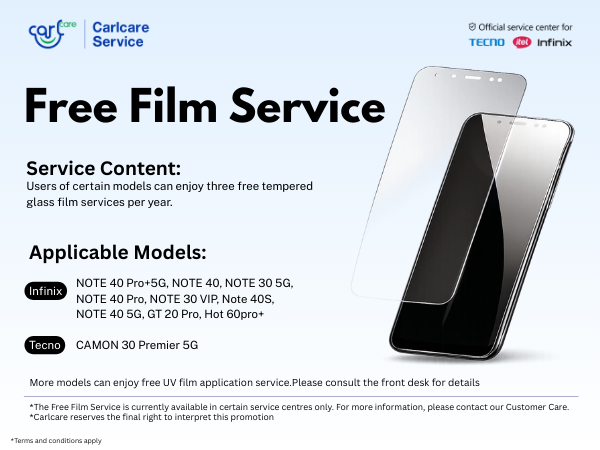
Free Diagnostics: Not sure what's wrong? Our technicians can run professional diagnostic tools to pinpoint the issue.
-
Original Parts Only: Whether it's a battery replacement or a motherboard fix, we use 100% genuine parts directly from the manufacturer.
-
Warranty Protection: Repairing your phone at a local shop voids your warranty. Repairing it with Carlcare keeps your warranty intact.
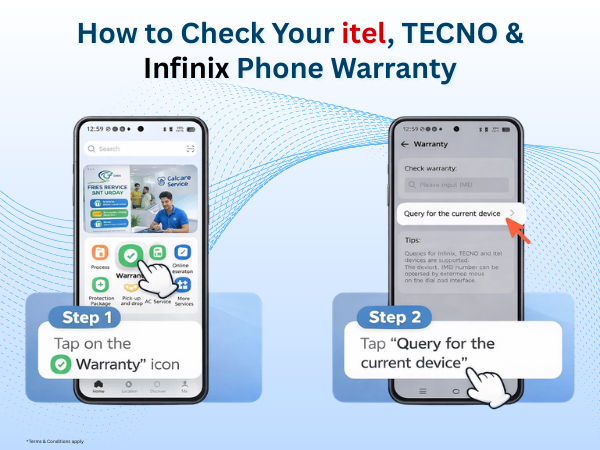
Don't let a slow phone slow you down. Book a reservation on the Carlcare App today and let our experts restore your device to its glory days.
Find a Service Center - https://www.carlcare.in/in/service-center/
Book a Repair Appointment - https://www.carlcare.in/in/repair-appointment/