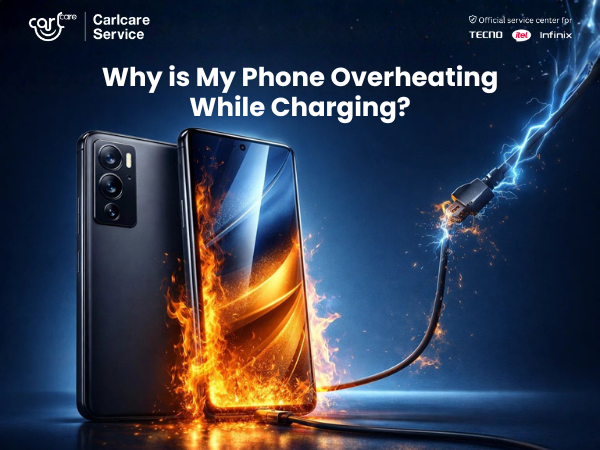
It’s a common scenario in 2026: You plug in your TECNO Phantom or Infinix GT series phone before a night out. You come back fifteen minutes later, amazed to see the battery hit 85%, but when you pick it up, you recoil. It’s hot. Really hot.
Panic sets in. * Is my battery about to explode? Is the phone broken?*
Before you put your phone in the freezer (please don't do that), take a breath. In the landscape of 2026 smartphone technology, the definition of "overheating" has changed. The incredible charging speeds we enjoy today come with thermal consequences.
As the official service center for TECNO, Infinix, and itel, Carlcare is here to explain the new normal of hyper-fast charging, discuss the safety protocols built into your device, and help you distinguish between expected warmth and a problem that needs professional attention.
The Physics of Speed: Why 2026 Charging Gets Hot
To understand heat, we have to understand speed. Back in the early 2020s, "fast charging" meant perhaps 33W or 65W.
Today, in 2026, many TECNO and Infinix devices utilize charging architectures pushing vastly higher wattages—sometimes exceeding 200W in burst phases.
Here is the basic physics: Energy transfer is never 100% efficient. When you force massive amounts of electrical current into a battery cell in a very short amount of time, electrical resistance occurs. This resistance generates energy that isn't stored in the battery but is instead released as a byproduct: Heat.
The faster you push the energy in, the more intense that burst of waste heat becomes.
The 2026 "New Normal": Protocols and Protection
If phones didn't have advanced ways to manage this heat, they would damage themselves. Fortunately, modern devices are marvels of thermal engineering.
Your phone isn't just passively accepting power; it is actively having a conversation with your charger block.
1. Advanced Charger Communication
Modern protocols (like the latest iterations of Infinix’s All-Round FastCharge or TECNO’s proprietary tech) involve constant monitoring. The phone tells the charger exactly how much power it can handle every millisecond based on current battery temperature and voltage. If things get too toasty, the phone tells the charger to throttle back.
2. Dual-Cell Battery Architecture
Many high-performance 2026 phones don't have just one battery; they have two smaller ones connected. This allows the incoming 200W current to be split, charging both simultaneously. This generates less concentrated heat than trying to force that much power into a single cell.
3. Vapor Chambers and Graphite Sheets
Look inside a modern TECNO or Infinix gaming phone, and you'll find advanced cooling systems meant to dissipate heat away from the processor and battery towards the frame, where it can radiate outwards (and into your hand).
In short: Your phone is designed to get warm. The frame getting hot means the cooling system is doing its job by moving heat away from sensitive internal components.
The Checklist: Good Heat vs. Bad Heat
So, how do you know if your phone's warmth is just 2026 physics in action, or a sign of impending failure?
The "Good" Heat (Normal)
-
Timing: The phone gets very warm during the "sprint" phase of charging (usually 0% to 60%).
-
Cooling Down: As soon as the battery hits around 80% and trickle charging begins, the phone noticeably cools down immediately.
-
Usability: The phone is hot to the touch, but not painful to hold for a few seconds. The screen remains fully responsive.
The "Bad" Heat (Red Flags)
-
Painful Touch: The device is too hot to hold comfortably.
-
Plastic Smell: You detect an acrid smell of burning plastic or chemicals near the charging port.
-
Physical Distortion: The back panel of the phone appears swollen or lifted (a sign of a swollen battery).
-
On-Screen Warnings: Your OS displays a temperature warning showing a thermometer icon and stopping all functions.
-
Charging Stops Cold: The phone is plugged in, but charging completely ceases even though it isn't full.
Are You Making It Worse? (External Factors)
Sometimes, the phone is fine, but the environment is wrong.
-
Gaming While Charging: This is the number one cause of overheating. You are generating massive heat from the processor (gaming) and massive heat from the battery (charging) simultaneously. In 2026, avoid high-wattage charging while gaming.
-
The Wrong Accessories: Are you using the original cable and brick that came in the box? Using an old 2023 adapter or a cheap gas station cable with a 2026 phone can cause inefficient power delivery and excess heat.
-
Smothering the Phone: Charging your phone under a pillow, on a thick duvet, or in direct sunlight trap heat that needs to escape.
When to Visit Carlcare
If you've gone through the checklist and believe your device is experiencing "Bad Heat," stop charging it immediately.
Excessive heat during charging that doesn't align with normal protocols can indicate:
-
A degraded battery with internal resistance issues.
-
Liquid damage or corrosion in the charging port.
-
A faulty power management IC on the motherboard.
Don't gamble with high-wattage electricity. Bring your TECNO, Infinix, or itel device to your nearest Carlcare service center. Our technicians have the proprietary diagnostic tools to test the battery's health and the charging circuit's integrity, ensuring your 2026 tech remains safe and blistering fast.
Find a Service Center - https://www.carlcare.in/in/service-center/
Book a Repair Appointment - https://www.carlcare.in/in/repair-appointment/