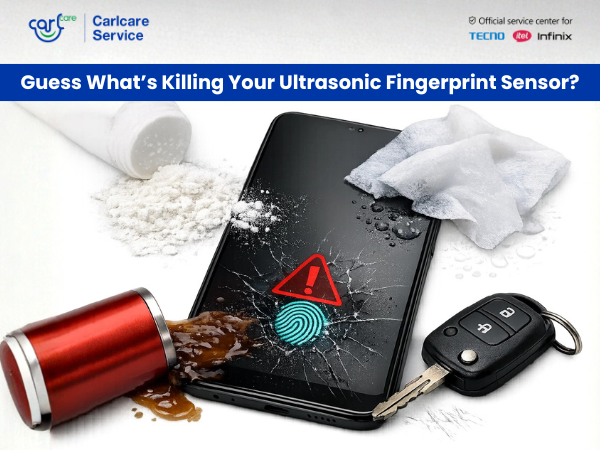
Guess What’s Killing Your Ultrasonic Fingerprint Sensor? (It’s Not What You Think)
You press your thumb on the screen. Nothing happens. You press harder. "No Match." You wipe your screen, try again, and finally—it unlocks.
If this sounds familiar, your ultrasonic fingerprint sensor isn't just "acting up." It is slowly being "killed" by invisible enemies. Unlike traditional optical scanners that take a 2D photo of your finger, ultrasonic sensors use high-frequency sound waves to map the 3D ridges and pores of your skin. While this technology is more secure and works even with wet fingers, it is surprisingly sensitive to things you use every day.
Here are the silent killers destroying your unlocking experience—and how to stop them.
Killer #1: The "Invisible Wall" (Your Screen Protector)
This is the number one culprit. Because ultrasonic sensors rely on sound waves, air gaps are their worst enemy.
-
The Problem: Many standard tempered glass protectors have adhesive only on the edges. This creates a microscopic layer of air between the glass and the screen. Sound waves cannot travel through this air gap effectively, causing the sensor to fail.
-
Thickness Matters: Even if the protector is fully glued, if the glass is too thick (over 0.26mm), the sound waves struggle to penetrate it and bounce back to the sensor.
-
The Fix: Use only certified screen protectors (often labeled "Ultrasonic Friendly") or thinner UV-cured liquid adhesive glass that eliminates air gaps.
Killer #2: The "Silent Destroyer" (Micro-Cracks)
You dropped your phone, and it has a tiny crack. It’s barely visible, so you ignore it. Bad move.
-
The Problem: A crack, even a hairline one, physically disrupts the path of the sound waves. It causes "internal delamination," where the layers of the display separate slightly. This scattering of sound waves makes it impossible for the sensor to read your print accurately.
-
The Fix: Sadly, you cannot "fix" a crack. If the crack is over the sensor area, a screen replacement is usually the only solution.
Killer #3: The "Dry Spell" (Your Skin Condition)
Ultrasonic sensors are famous for working with wet or oily fingers, but they often struggle with the opposite: extremely dry skin.
-
The Problem: Sound waves need a medium to travel. If your skin is incredibly dry (common in winter or after using hand sanitizer), the ridges of your fingerprint don't make full contact with the glass, leading to a "partial scan" error.
-
The Fix: Moisturize your hands or rub your nose (seriously!) to get a tiny bit of natural oil on your finger before scanning.
Killer #4: The "Ghost" Data (Software Drift)
Sometimes the hardware is fine, but the "brain" of the sensor is confused.
-
The Problem: Over time, updates to your phone's OS (HiOS, XOS) or even small changes in your fingerprint (like a healing cut) can make the stored data obsolete.
-
The Fix: Go to Settings > Security > Fingerprint and delete your old prints. Re-register them, but here is a pro trick: Register the same finger twice as "Finger 1" and "Finger 2" to double the recognition chance.
When to Call the Experts: The Carlcare Solution
If you have removed the bad screen protector, moisturized your hands, and re-registered your prints, but the sensor is still dead, you likely have a hardware failure.
The ultrasonic sensor is often bonded directly to the display panel. Repairing it isn't as simple as swapping a part; it requires precise calibration tools that only official service centers possess.
Why Carlcare is Your Best Bet:
-
Calibration: After any screen or sensor repair, we use specialized software to calibrate the biometric module. Local shops skip this, which is why their repairs often result in "Fingerprint functionality lost."
-
Genuine Parts: We use original display units that are factory-tested for ultrasonic wave permeability.
-
Warranty Safe: We fix your issue without voiding your manufacturer's warranty.
Don't let a dead sensor lock you out of your digital life.
Find a Service Center - https://www.carlcare.in/in/service-center/
Book a Repair Appointment - https://www.carlcare.in/in/repair-appointment/