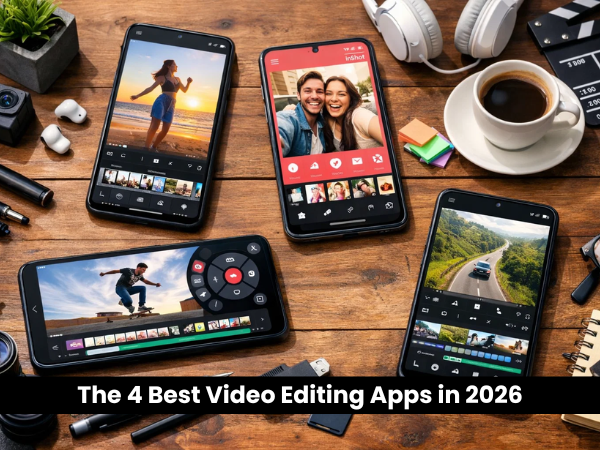
The 4 Best Video Editing Apps in 2026: Create Viral Content on Your Phone
Gone are the days when you needed a heavy laptop and expensive software to make professional videos. In 2026, the studio is in your pocket.
Whether you are editing a vlog for YouTube, a quick Reel for Instagram, or a cinematic masterpiece on your TECNO Phantom or Infinix Zero, the right app makes all the difference. But with hundreds of options in the Play Store, which one is actually worth your time?
We tested the top contenders to bring you the best video editing apps for Android in 2026.
1. CapCut: The Social Media King
Best For: TikTok, Instagram Reels, and YouTube Shorts creators.
CapCut remains the undisputed champion for social media creators. Why? Because it is packed with AI features that do the hard work for you.
-
AI Magic: In 2026, CapCut’s AI can auto-generate captions, remove backgrounds without a green screen, and even "expand" images to fit your video format.
-
Trending Templates: It syncs perfectly with TikTok, giving you instant access to the viral music and templates everyone is using.
-
Cloud Sync: You can start editing on your phone and finish on your laptop seamlessly.
2. VN Video Editor: The Clean "Pro" Choice
Best For: Vloggers and creators who hate watermarks.
If you want a clean, professional interface without the clutter of ads, VN is your best friend. It is often called the "Premiere Pro of mobile" because of its precise multi-track timeline.
-
No Watermark: Unlike many free apps, VN allows you to export clean videos without forcing you to pay.
-
Precision Editing: It allows you to zoom in and cut clips with 0.05-second accuracy, making it perfect for matching cuts to music beats.
-
Advanced Speed Curve: Create those smooth "slow-mo to fast-forward" speed ramp effects you see in travel vlogs.
3. KineMaster: The Desktop Experience on Mobile
Best For: Advanced editors who need total control.
KineMaster is for the creator who wants to control every single pixel. It offers a landscape interface that feels more like traditional desktop software.
-
Layers on Layers: You can stack multiple video layers, images, stickers, and handwriting on top of each other.
-
Chroma Key (Green Screen): It has one of the best mobile chroma key tools for replacing backgrounds professionally.
-
4K Export: Supports exporting in 4K at 60FPS, ensuring your footage looks crisp on any screen.
4. InShot: The Quick & Easy Fix
Best For: Beginners and simple photo/video collages.
Not everyone needs complex timelines. If you just want to stitch a few clips together, add a song, and put a white border around it, InShot is the easiest tool to use.
-
Canvas Resize: Instantly change your video aspect ratio from 9:16 (TikTok) to 16:9 (YouTube) with one tap.
-
Sticker Library: A massive collection of animated stickers and emojis to make fun, casual videos.
Is Your Phone Ready for Heavy Editing?
Video editing is one of the most demanding tasks for a smartphone. It pushes your processor to the limit, eats up storage, and drains your battery faster than gaming.
-
Screen Clarity: You can’t color-grade your footage if your screen is cracked or has "ghost touches."
-
Battery Health: Rendering a 4K video requires stable power. A weak battery can cause your phone to shut down mid-export, losing your hard work.
Need a Tune-Up? If your phone overheats instantly while editing or your screen isn't showing colors accurately, visit Carlcare Service.
-
Screen Replacement: We replace damaged displays with original screens to ensure perfect color accuracy for your edits.
-
Battery Check: We can install a fresh, genuine battery to keep your creative sessions going for hours.