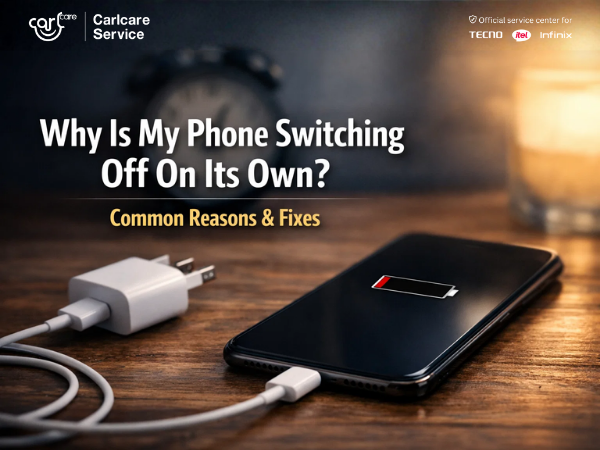
You are in the middle of a call, typing an important text, or about to beat your high score in a game, and suddenly—black screen. Your phone shuts down completely. You turn it back on, the battery shows 40%, and five minutes later, it happens again.
This "ghost shutdown" is one of the most annoying issues smartphone users face. But before you panic and assume your phone is dead, you should know that this is often a solvable problem.
Here are the most common reasons why your phone switches off automatically and how to fix them.
1. The Battery Connection is Loose
If you have a phone with a removable battery (common in older feature phones), the metal connectors might be loose or dirty. However, even in modern phones with built-in batteries, a hard drop can loosen the internal flex cable connecting the battery to the motherboard.
-
The Fix: If the battery is removable, take it out, clean the gold terminals with a dry cloth, and reinsert it. If it’s a built-in battery, shake the phone gently. If you hear a rattle or it shuts off immediately, the internal connector is loose. Do not open it yourself—visit a service center.
2. Your Battery is "Calibration Confused"
Sometimes, the software reading the battery percentage and the actual power in the battery are out of sync. Your screen says "30%," but the battery is actually empty, causing a sudden shutdown.
-
The Fix: Calibrate your battery.
-
Use the phone until it shuts off completely (0%).
-
Charge it to 100% without turning it on.
-
Once full, unplug it and turn it on. If it doesn't show 100%, plug it back in until it does.
-
3. The "Stuck" Power Button
Do you use a protective case? Sometimes, a tight or poorly fitting case can press down on the power button continuously. Alternatively, dirt or sticky residue can get trapped inside the button mechanism, causing it to "ghost press" and restart the phone.
-
The Fix: Remove your phone case and test the button. Press it multiple times to see if it clicks crisply or feels mushy. Clean the area around the button with a soft brush.
4. Overheating: The Safety Switch
Smartphones are smart. If your processor gets too hot (from gaming while charging, or leaving the phone in the sun), the system will automatically shut down to prevent permanent damage to the motherboard.
-
The Fix: If your phone feels hot to the touch, stop using it immediately. Remove the case and let it cool down in the shade. Never put it in a fridge to cool it (condensation will kill it).
5. Rogue Apps & Software Glitches
Sometimes, a corrupted app or a system bug causes the OS to crash, forcing a reboot.
-
The Fix:
-
Update Your Software: Go to Settings > System > System Update.
-
Check Safe Mode: Boot into Safe Mode. If the phone stops switching off, a recently installed app is the culprit. Uninstall the apps you downloaded right before the problem started.
-
Tried Everything? It’s Time for Hardware Repair.
If you have calibrated the battery, cooled down the phone, and checked the buttons, but the issue persists, you are likely dealing with Hardware Failure.
-
A degraded battery that can no longer hold a stable voltage.
-
A damaged Power IC (the chip that manages power flow).
-
Motherboard shorts caused by liquid damage or drops.
This is a job for the experts.
As the Official Service Provider for TECNO, Infinix, and itel, Carlcare is equipped to handle these deep hardware issues.
-
Diagnostic Tools: We can test your battery's true health and check for motherboard shorts in minutes.
-
Original Parts: If your battery or power button needs replacing, we use 100% genuine parts that restore your phone to factory standards.
-
No Data Loss: Unlike local shops that might wipe your phone unnecessarily, we prioritize saving your data during hardware repairs.
Stop the random shutdowns. Get a permanent fix at Carlcare.
📞 FOR BOOKING, CALL US NOW: 1800-4190-525.
Find a Service Center - https://www.carlcare.in/in/service-center/
Book a Repair Appointment - https://www.carlcare.in/in/repair-appointment/