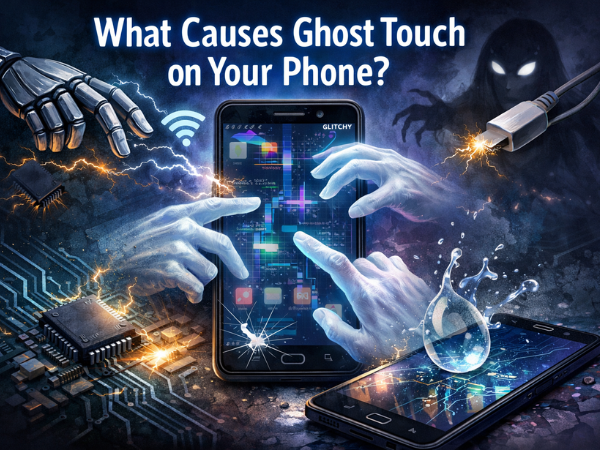
Imagine you are reading a message, and suddenly your phone scrolls down on its own. Or worse, it opens WhatsApp and starts typing random gibberish to your boss. You haven't touched the screen, but your phone is acting like it's possessed.
This spooky phenomenon is called "Ghost Touch."
It’s one of the most annoying issues smartphone users face. But before you call an exorcist, you should know that the cause is usually physics, not paranormal activity. Here is a breakdown of why your TECNO, Infinix, or itel screen is tapping itself and how to banish the ghost for good.
What Actually Is Ghost Touch?
Modern smartphone screens are capacitive. They work by detecting the tiny electrical charge in your fingertips. When you touch the glass, you interrupt the screen's electrostatic field, telling the processor exactly where you tapped.
"Ghost Touch" happens when something else disturbs this electrical field, tricking the phone into thinking you are touching it when you aren't.
The 4 Common Culprits (Why It’s Happening)
1. The "Cheap Charger" Effect Have you noticed the ghost only appears when your phone is plugged in?
-
The Cause: High-voltage fluctuations. If you use a cheap, non-branded charger or a damaged cable, it sends unstable power to the device. This electrical noise interferes with the screen’s touch sensors, causing it to go haywire.
-
The Fix: Unplug it immediately. Always use the original charger provided in the box.
2. Moisture & Sweat (The Indian Climate Factor) India's humidity is tough on electronics.
-
The Cause: A tiny drop of water, sweat, or even oil from your face can conduct electricity just like a finger. If a droplet gets stuck under your screen protector, it creates a permanent "touch point."
-
The Fix: Wipe your screen thoroughly with a microfiber cloth. If you use a screen guard, check for bubbles or moisture trapped underneath.
3. The Screen Protector is Warped
-
The Cause: If your tempered glass is cracked, peeling at the edges, or was applied with dust trapped inside, it puts uneven pressure on the display. This constant pressure registers as a touch.
-
The Fix: Remove the screen protector. If the ghost touch stops, you just need a new glass guard.
4. Physical Damage (The Hidden Crack)
-
The Cause: You dropped your phone, but the glass didn't break. Great, right? Not always. The digitizer (the touch-sensitive layer behind the glass) might be damaged. This often happens if the phone frame is slightly bent or dented.

Before visiting a service center, try these 3 steps:
-
The "Static Discharge" Trick:
-
Turn off the screen.
-
Take a slightly damp cloth (not wet!) and wipe the screen.
-
Immediately dry it with a clean cloth. This can help remove static electricity buildup.
-
-
Remove the Case & Guard:
-
Take off your back cover and screen protector. Test the phone "naked" to see if the issue persists.
-
-
Factory Reset:
-
Sometimes, a software bug or a heavy app running in the background causes lag that looks like ghost touch. Back up your data and reset the phone.
-

If you have changed the charger, cleaned the screen, and reset the phone, but the ghost is still typing for you, the digitizer layer is likely failing.
⚠️ Warning: Avoid the Local Market Trap Many users go to local repair shops to save money. They install "copy" or "compatible" screens.
-
The Problem: These cheap screens have poor touch sampling rates and are not calibrated for your specific motherboard. The result? The ghost touch returns within weeks, often worse than before.
The Carlcare Solution: As the Official Service Partner, we solve this permanently:
-
Original Display Units: We replace the entire display module (Glass + Digitizer + LCD) with factory-original parts.
-
Calibration Tools: After replacement, we use specialized software to calibrate the new screen to your phone’s motherboard, ensuring zero lag and perfect touch accuracy.
-
Warranty: Our screen repairs come with a warranty for your peace of mind.
Don't let a ghost control your phone. Book a screen check-up today!
📞 Contact Us: 1800-4190-525
📍 Find a Service Center: https://www.carlcare.in/in/service-center/
📅 Book a Repair: https://www.carlcare.in/in/repair-appointment/