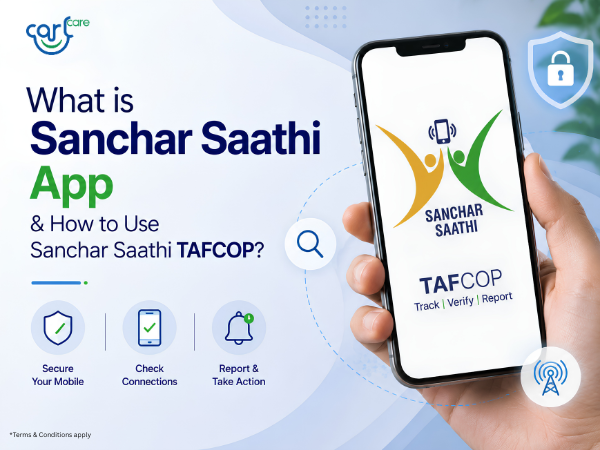
With rising cases of mobile fraud, fake SIM cards, spam calls, and cyber scams, the Government of India launched the Sanchar Saathi platform to help mobile users stay safer and more informed.
If you have ever wondered:
- How many SIM cards are active on your Aadhaar?
- How to block a lost mobile phone?
- How to check if a mobile number is being misused?
- How to verify a mobile handset?
Then the Sanchar Saathi App and TAFCOP portal can help.
What is Sanchar Saathi?
Sanchar Saathi is a citizen-centric telecom security platform launched by the Department of Telecommunications (DoT), Government of India. It helps users manage mobile connections, report fraud, block stolen phones, and verify mobile devices.
The platform offers several useful services, including:
- TAFCOP (check SIM cards linked to your ID)
- CEIR (block lost or stolen mobile phones)
- Report suspected fraud communications
- Verify handset authenticity using IMEI number
The Sanchar Saathi App is available for Android users via the Google Play Store.
What is TAFCOP?
TAFCOP stands for Telecom Analytics for Fraud Management and Consumer Protection.
The TAFCOP service allows users to:
- Check how many mobile numbers are registered under their name
- Identify unauthorized SIM cards
- Report suspicious or unknown mobile connections
The service is officially available through the Sanchar Saathi platform.
This is especially useful because many users are unaware if someone has activated SIM cards using their documents.
How to Use Sanchar Saathi TAFCOP
Using TAFCOP is simple and can be done online within minutes.
Step 1: Visit the TAFCOP Portal
Open the official TAFCOP portal:
Step 2: Enter Your Mobile Number
On the homepage:
- Enter your active mobile number
- Complete the CAPTCHA verification
Step 3: Verify OTP
You will receive an OTP on your mobile number.
Enter the OTP to log in securely.
Step 4: View Mobile Numbers Linked to Your ID
After verification, TAFCOP will display:
- Mobile numbers registered in your name
- Active telecom connections linked to your ID
This helps users identify unknown or unauthorized numbers.
Step 5: Report Unauthorized Numbers
If you find any suspicious or unused mobile numbers:
- Select the number
- Report it directly through the portal
The telecom department will review the request for further action.
Other Useful Features of Sanchar Saathi
Block Lost or Stolen Mobile Phone
Using the CEIR service, users can block lost smartphones to prevent misuse.
Verify Mobile Handset Authenticity
Users can check whether a phone is genuine using the IMEI verification feature.
Report Fraud Calls & Messages
The platform also allows users to report:
- Spam calls
- Fraud messages
- Fake international calls
- Cyber scam attempts
Why is TAFCOP Important?
TAFCOP helps improve telecom safety by allowing users to monitor mobile connections issued in their name.
Benefits include:
- Protection against SIM fraud
- Better awareness of telecom misuse
- Faster reporting of suspicious numbers
- Improved digital security
This is especially important in today’s digital environment where identity misuse and telecom fraud are increasing.
Tips to Stay Safe from Mobile Fraud
To improve your mobile security:
- Never share OTPs with anyone
- Regularly check mobile numbers linked to your ID
- Block lost phones immediately
- Verify unknown calls and messages
- Use only trusted apps and websites
Need Smartphone Support?
If your smartphone has issues like:
- SIM detection problem
- Network issue
- Software error
- IMEI-related issue
Carlcare Service can help with professional device support and diagnostics.
📞 Toll-Free Support: 1800-4190-525
📍 Find a Service Center: https://www.carlcare.in/in/service-center/
📅 Book a Repair Appointment: https://www.carlcare.in/in/repair-appointment/
Important Note
Sanchar Saathi and TAFCOP are official Government of India telecom safety platforms. Services and features may change based on telecom policies and regional availability.
T&C Apply