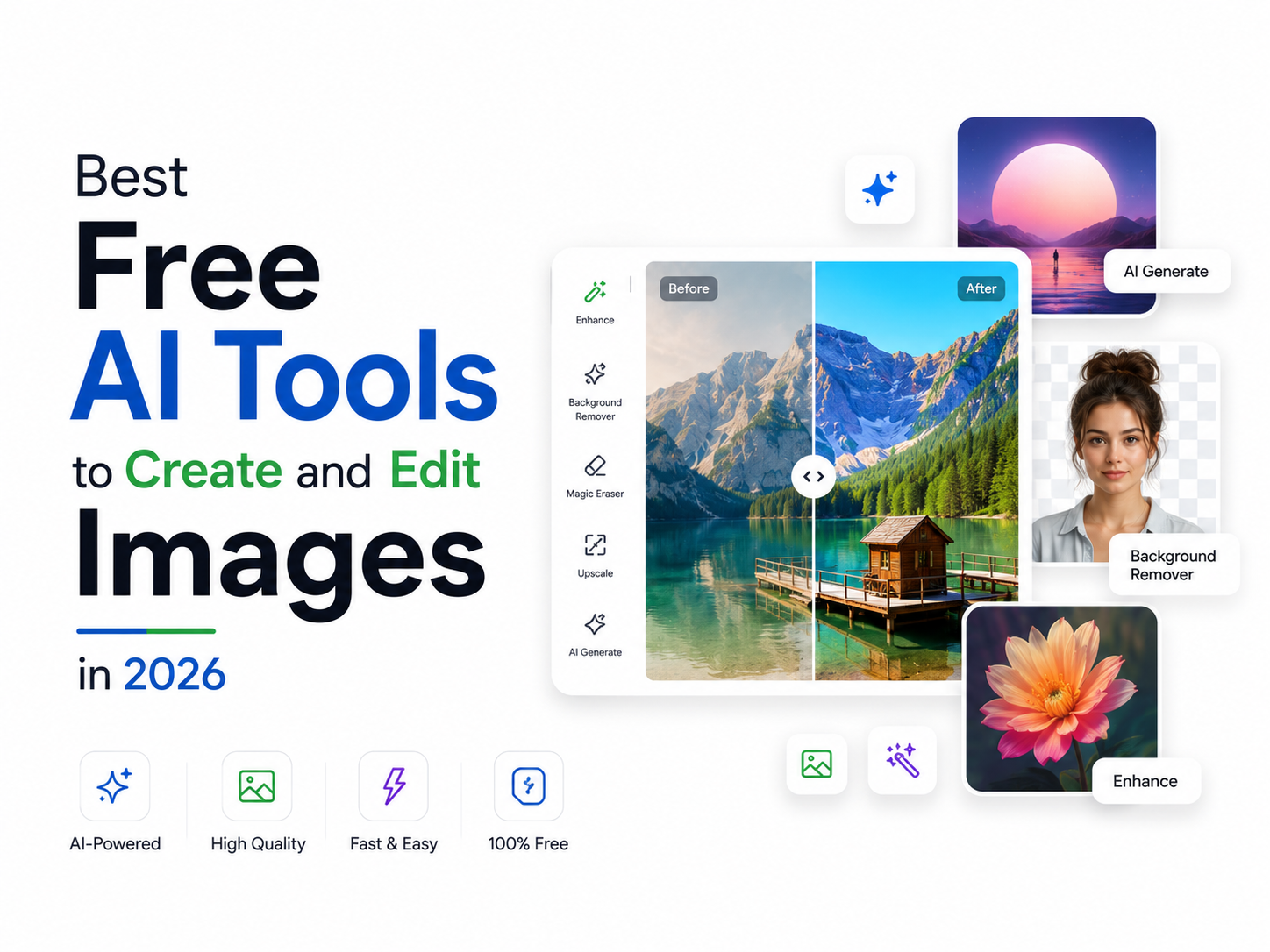
Artificial Intelligence has transformed the way we create and edit images. Whether you're designing social media posts, creating marketing creatives, generating AI portraits, or removing backgrounds, AI-powered tools can help you achieve professional results in just a few clicks.
The best part? Many of these tools offer free versions that are perfect for beginners, content creators, students, and small businesses.
In this guide, we'll explore some of the best free AI image generators and photo editing tools available in 2026.
Why Use AI Image Tools?
AI-powered image tools can help you:
- Create images from text prompts
- Remove image backgrounds instantly
- Enhance photo quality
- Generate AI portraits and avatars
- Edit photos without professional design skills
- Create social media content faster
Whether you're a creator or a casual user, AI can save both time and effort.
1. ChatGPT Image Generation
One of the easiest ways to create AI images is by using ChatGPT's image generation capabilities.
Best For:
- AI artwork
- Social media creatives
- Product concepts
- YouTube thumbnails
- Posters and illustrations
Features:
- Generate images from text descriptions
- Edit existing images
- Create realistic and artistic visuals
- Multiple styles and formats
Perfect for users who want high-quality AI images without learning complicated software.
2. Canva AI
Canva has become one of the most popular design tools for creators and businesses.
Best For:
- Instagram posts
- YouTube thumbnails
- Business graphics
- Presentations
AI Features:
- Text-to-image generation
- Magic Edit
- Background remover
- AI design suggestions
Canva is ideal for users who want both image creation and graphic design tools in one platform.
3. Microsoft Designer
Microsoft Designer uses AI to create stunning visuals from simple text prompts.
Best For:
- Social media posts
- Marketing creatives
- Event invitations
- Quick graphic design
Features:
- AI image generation
- Ready-made templates
- Easy drag-and-drop editing
It is beginner-friendly and works well for non-designers.
4. Adobe Express AI
Adobe Express combines AI tools with Adobe's creative ecosystem.
Best For:
- Content creators
- Social media managers
- Small businesses
Features:
- Text-to-image generation
- AI-powered photo editing
- Background removal
- Template customization
Adobe Express is a great choice for professional-looking visuals.
5. Pixlr AI
Pixlr offers several AI editing features without requiring advanced editing knowledge.
Best For:
- Quick photo editing
- AI image enhancement
- Background removal
Features:
- AI image generator
- Object removal
- Image upscaling
- AI retouching
It works directly in a browser and is easy to use.
6. Leonardo AI
Leonardo AI has become popular among creators looking for detailed AI-generated artwork.
Best For:
- Concept art
- Gaming assets
- Character creation
- Creative illustrations
Features:
- High-quality image generation
- Style customization
- AI art creation
The free version offers generous daily image generation limits.
7. Remove.bg
Sometimes all you need is a clean background removal tool.
Best For:
- Product photos
- Profile pictures
- Marketing materials
Features:
- One-click background removal
- Fast processing
- Easy download options
A useful tool for e-commerce sellers and content creators.
8. Fotor AI
Fotor combines AI generation and editing features into a single platform.
Best For:
- Portrait enhancement
- Social media graphics
- AI avatars
Features:
- AI image generator
- Face enhancement
- Background editing
- AI effects
It's especially popular for portrait and profile photo editing.
Tips for Better AI Images
To get the best results from AI image generators:
Use Detailed Prompts
Instead of writing:
"Create a car"
Try:
"Create a futuristic red sports car on a rainy cyberpunk street at night with neon lights"
The more detailed your prompt, the better the output.
Mention Art Style
Examples:
- Realistic
- Cinematic
- Anime
- Watercolor
- Pixar style
- 3D render
This helps AI understand your vision.
Specify Lighting
Adding terms like:
- Golden hour
- Studio lighting
- Soft light
- Neon glow
can significantly improve image quality.
Which AI Tool Should You Choose?
|
Use Case |
Recommended Tool |
|
Social Media Posts |
Canva AI |
|
AI Art & Creative Images |
ChatGPT, Leonardo AI |
|
Quick Editing |
Pixlr AI |
|
Professional Graphics |
Adobe Express |
|
Background Removal |
Remove.bg |
|
Portrait Enhancement |
Fotor AI |
Create Better Content with a Reliable Smartphone
Whether you're creating AI images, editing photos, or designing social media content, a well-performing smartphone makes the process smoother.
If your device is facing issues such as:
- Slow performance
- App crashes
- Storage problems
- Camera issues
Carlcare Service can help keep your smartphone running at its best.
📞 Contact Us: 1800-4190-525
📍 Find a Service Center:
https://www.carlcare.in/in/service-center/
📅 Book a Repair:
https://www.carlcare.in/in/repair-appointment/
T&C Apply