How to Check SIM Cards Registered Under Your Name
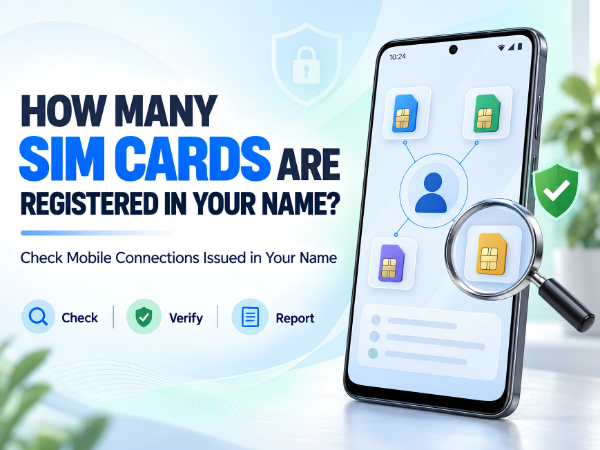
Have you ever wondered how many SIM cards or mobile numbers are registered in your name?
You may currently use only one or two mobile numbers, but there could be another connection registered using your identity that you no longer use or don't even recognize. An unknown mobile connection linked to your identity can be a security concern, especially if your personal documents have ever been misused.
The Government of India's Department of Telecommunications (DoT) provides the TAFCOP service, through which mobile subscribers can check mobile connections issued in their name and report connections that are either not required or were not taken by them. (eServices DOT)
Here's how to check the mobile numbers registered under your name and what to do if you find an unfamiliar connection.
What Is TAFCOP?
TAFCOP stands for Telecom Analytics for Fraud Management and Consumer Protection.
It is a government service that helps subscribers check mobile connections issued in their name. DoT says the service also allows users to report connections that they don't recognize or no longer require. (Sancharsaathi)
TAFCOP is available through the Department of Telecommunications' citizen services.
Official Department of Telecommunications eServices Portal
Why Should You Check Mobile Connections Registered in Your Name?
Your mobile number is connected to many important digital activities, including banking, UPI, social media, messaging and account verification.
Checking the connections issued in your name can help you:
- Identify a mobile number you don't recognize
- Find an old connection you no longer require
- Detect possible misuse of your identity for obtaining a SIM
- Keep track of active mobile connections associated with your identity
- Report suspicious or unwanted connections
DoT specifically describes the service as a consumer-protection measure intended to help prevent fraud and misuse of telecom resources. (eServices DOT)
How to Check How Many SIM Cards Are Registered in Your Name
The process is straightforward.
Step 1: Visit the Official DoT Portal
Go to the official Department of Telecommunications eServices portal.
Look for:
"Know Mobile Connections in Your Name"
This is the TAFCOP service. (eServices DOT)
Step 2: Enter Your Mobile Number
Enter your active mobile number as requested on the portal.
Make sure you have access to this number because authentication is required.
Step 3: Verify Using OTP
An OTP will be sent to your mobile number.
Enter the OTP to authenticate yourself and continue.
DoT's description of TAFCOP confirms that the user enters their mobile number and authenticates using an OTP before accessing connection information. (Sancharsaathi)
Step 4: Check the Mobile Connections
After successful authentication, check the mobile connections displayed against your details.
Review the information carefully.
Ask yourself:
Do I recognize these numbers?
Am I still using all of these connections?
Is there a connection that I never obtained?
If everything looks correct, no further action may be required.
What If You Find a Mobile Number That Isn't Yours?
Don't ignore an unfamiliar connection.
The TAFCOP service provides a way for users to report mobile connections that were not taken by them. It also allows users to request action on connections they no longer require. (Dot Government)
Follow the options displayed on the official portal for the relevant number.
DoT's process involves verification/re-verification by the telecom service provider before applicable disconnection action is taken, so reporting a connection is not necessarily the same as it being instantly disconnected. (Sancharsaathi)
What If the Number Is Yours but You Don't Use It Anymore?
You may recognize a connection but no longer need it.
For example, it could be:
- An old secondary SIM
- A number you stopped using
- A connection obtained years ago
- A SIM that you assumed was already closed
TAFCOP allows subscribers to report connections that are not required as well as those they did not obtain. (Dot Government)
Follow the portal's instructions to submit the appropriate request.
Is TAFCOP a Government Service?
Yes.
TAFCOP is a service of the Department of Telecommunications (DoT), Ministry of Communications, Government of India. It forms part of the government's citizen-centric telecom security services. (Sancharsaathi)
For safety, use the official government portal rather than unknown websites claiming they can show every SIM registered under your name.
Can You Check SIM Connections Using the Sanchar Saathi App?
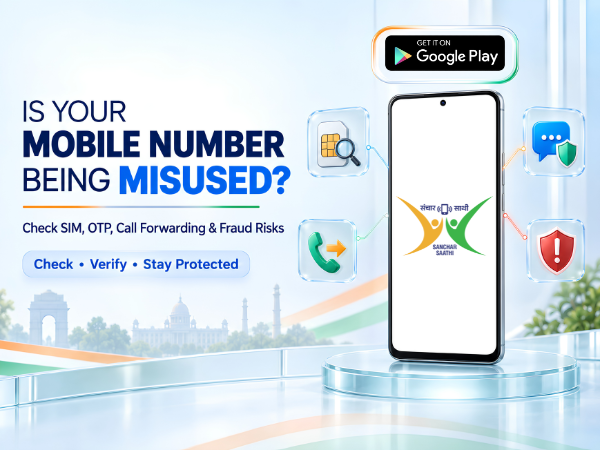
DoT also launched the Sanchar Saathi mobile app in January 2025 as part of its citizen-focused telecom safety services. (Dot Government)
The Sanchar Saathi ecosystem provides access to services related to telecom security, including checking connections, reporting suspicious communications, handling lost/stolen phones and checking mobile handset genuineness. (eServices DOT)
Other Useful Sanchar Saathi Services
Checking mobile connections isn't the only useful service available.
Through DoT's citizen services, users can also:
Report suspected fraud communications: Report suspicious calls or messages associated with potential fraud.
Block a lost or stolen mobile: Report a lost/stolen handset for blocking and tracing.
Check mobile handset genuineness: Verify a device using its IMEI information.
Report incoming international calls displaying an Indian number: Report applicable suspicious international calls appearing with Indian caller identification. (eServices DOT)
How Often Should You Check Connections in Your Name?
There is no need to check every day, but reviewing the connections associated with your identity occasionally is a sensible digital-security habit.
It can be especially useful if:
- You have changed mobile operators several times
- You previously used multiple SIM cards
- You lost a SIM card
- You see a number you don't remember activating
- You suspect misuse of your identity or KYC documents
If you notice anything unfamiliar, use the official reporting process rather than ignoring it.
Important Safety Tips
When checking your mobile connections, remember:
- Use only official government services.
- Never share an OTP with another person.
- Don't give anyone your Aadhaar OTP, banking OTP, UPI PIN or passwords.
- Don't click unknown links claiming your SIM will be disconnected immediately.
- Carefully verify any number you intend to report.
- Follow the official portal's instructions for reporting an unknown or unwanted connection.
Keep Your Smartphone and Mobile Identity Secure
Checking the mobile connections issued in your name takes only a short amount of time, but it can help you spot an unknown or unnecessary connection.
Use the official TAFCOP "Know Mobile Connections in Your Name" service and review the numbers associated with your details. If you find a connection you didn't obtain or no longer require, use the reporting options provided by the Department of Telecommunications. (eServices DOT)
If you're experiencing a device-related problem with your TECNO, Infinix or itel smartphone, Carlcare provides official after-sales support in India.
📞 Contact Us: 1800-4190-525
📍 Find a Service Center:
Find a Carlcare Service Center
📅 Book a Repair:
Book a Repair Appointment
Government portal features and procedures may change. Always follow the latest instructions displayed on the official Department of Telecommunications website.