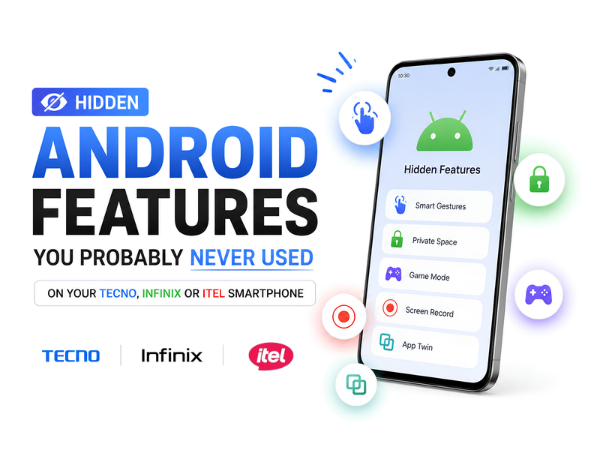
Most smartphone users only use a fraction of the features available on their devices. While we rely on our phones every day for calls, social media, photos, and entertainment, many useful Android features often go unnoticed.
If you're using a TECNO, Infinix, or itel smartphone, your device may already include several hidden features designed to improve productivity, privacy, multitasking, and convenience.
Here are some Android features you should start using today.
1. App Lock for Extra Privacy
Did you know you can protect individual apps without installing a third-party application?
Many TECNO, Infinix, and itel smartphones include a built-in App Lock feature that allows you to secure apps using:
- Fingerprint
- Face Unlock
- Password
- Pattern Lock
This is useful for protecting:
- Gallery
- Banking apps
- Social media accounts
2. Peek Proof
Privacy matters, especially when using your phone in public places.
Some TECNO and Infinix devices offer Peek Proof, which automatically hides notifications when someone other than you is looking at the screen.
This helps keep your messages and alerts private.
3. Kids Mode
If children frequently use your phone, Kids Mode can help create a safer experience.
Features may include:
- Restricted app access
- Usage time limits
- Content control
- Safe browsing options
This prevents accidental changes to settings and protects important data.
4. Smart Panel
Many TECNO and Infinix smartphones include a Smart Panel feature.
By swiping from the edge of the screen, you can quickly access:
- Frequently used apps
- Screenshot tools
- Screen recording
- Calculator
- Recent applications
This helps improve multitasking and productivity.
5. Split Screen Mode
Want to use two apps at the same time?
Split Screen allows you to:
- Watch YouTube while chatting
- Browse the web while taking notes
- Compare documents side by side
It's a useful feature that many users overlook.
6. Ultra Touch Screenshot Features
Taking screenshots is easier than ever.
Depending on your device model, you may be able to:
- Swipe three fingers down to capture screenshots
- Take scrolling screenshots
- Capture long webpages and chats
This is especially useful for saving conversations and articles.
7. Game Mode
Mobile gamers can benefit from dedicated gaming features available on many TECNO and Infinix devices.
Game Mode can help:
- Block notifications
- Optimize performance
- Reduce distractions
- Improve gaming experience
Perfect for uninterrupted gameplay.
8. Phone Clone
Upgrading to a new smartphone?
The Phone Clone feature helps transfer:
- Contacts
- Photos
- Videos
- Apps
- Messages
from your old device to your new one without complicated setup procedures.
9. Scheduled Power On and Off
Many users don't realize their phone can automatically switch on or off at specific times.
This feature helps:
- Save battery
- Reduce distractions
- Automate phone usage
Ideal for nighttime routines.
10. Eye Care Mode
Long screen sessions can cause eye strain.
Eye Care Mode helps by reducing blue light emissions and making the display more comfortable during:
- Nighttime reading
- Video watching
- Extended browsing sessions
11. AI Smart Scanner
Several newer TECNO and Infinix devices include smart scanning features that allow users to:
- Scan documents
- Extract text from images
- Convert images into editable text
This is especially useful for students and professionals.
12. Freezer Mode
Running out of storage or memory?
Freezer Mode allows you to temporarily disable unused apps without uninstalling them.
Benefits include:
- More available storage
- Better performance
- Reduced background activity
You can reactivate the apps whenever needed.
13. Theft Alert & Device Security Features
Many modern smartphones now include security features designed to help protect your data.
These may include:
- Find My Device support
- Anti-theft protection
- Remote lock options
- Privacy controls
Exploring these settings can significantly improve device security.
How to Find More Hidden Features
Many useful tools are available inside:
Settings → Special Functions
or
Settings → Advanced Features
The exact menu may vary depending on your TECNO, Infinix, or itel smartphone model and software version.
Keeping your device updated ensures access to the latest features and improvements.
Make the Most of Your Smartphone
Your smartphone can do much more than calls, messages, and social media. Exploring built-in features can improve productivity, privacy, battery life, and overall user experience without installing extra apps.
If you're experiencing software issues, feature-related problems, or need help optimizing your device, Carlcare is here to help.
📞 Contact Us: 1800-4190-525
📍 Find a Service Center:
https://www.carlcare.in/in/service-center/
📅 Book a Repair:
https://www.carlcare.in/in/repair-appointment/
T&C Apply