WhatsApp has evolved far beyond just messaging. In 2026, the app is packed with smarter privacy tools, better social sharing features, and community-focused updates that make chatting more secure and fun.
Whether you use WhatsApp for work, family, business, or entertainment, these latest features can seriously improve your experience.
Here are 6 of the most useful WhatsApp features you should know about in 2026.
1. WhatsApp Channels – Follow Updates Without Joining Groups
One of the biggest additions to WhatsApp is Channels. This feature allows users to follow updates from creators, brands, celebrities, sports teams, news pages, and organizations — without revealing their phone number.
Channels work like a one-way broadcast feed where admins post updates and followers simply view them.
Why Channels Are Useful:
- Get updates without spammy group chats
- Follow news, cricket, tech, entertainment & brands
- Privacy-focused — followers stay hidden
- Easy sharing of photos, videos, polls & announcements
WhatsApp has also introduced:
- QR codes for channels
- Voice note transcripts
- Video notes for channels
This feature is becoming one of WhatsApp’s biggest social updates.
2. Add Music to WhatsApp Status

WhatsApp Status is now more interactive with the ability to add music to your photos and videos.
Users can:
- Add trending songs to status updates
- Share moods, travel moments, celebrations & reels-style stories
- Use short music clips with photos or videos
This feature makes WhatsApp Status feel much closer to Instagram Stories while keeping the WhatsApp simplicity people love.
Perfect for:
- Birthday wishes
- Travel updates
- Romantic songs
- Festival moments
- Daily vibes
3. Silence Unknown Callers – Block Spam Without Blocking People

Spam calls on WhatsApp became a huge problem, and WhatsApp responded with the Silence Unknown Callers feature.
When enabled:
- Calls from unknown numbers won’t ring
- The calls still appear in your call history
- Helps avoid scams and spam interruptions
This feature gives users more control and privacy.
How to Enable It:
Settings → Privacy → Calls → Silence Unknown Callers
This is one of the most useful privacy features introduced by WhatsApp in recent years.
4. Control Who Can Add You to Groups
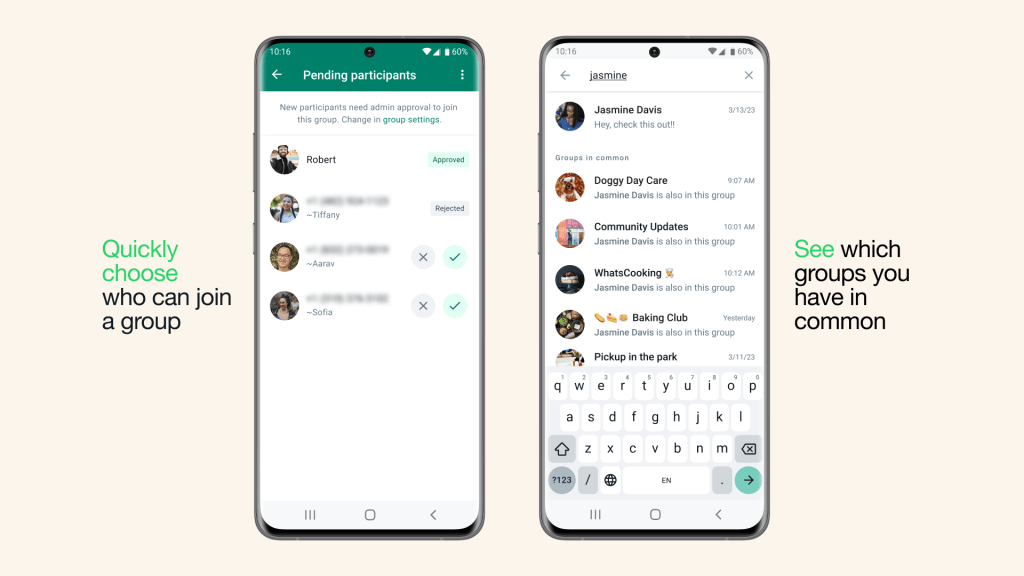
Tired of random people adding you to groups?
WhatsApp now gives better group privacy controls where you can decide:
- Everyone can add you
- Only your contacts
- Contacts except selected people
Why It Matters:
- Prevents spam groups
- Stops unknown promotions & scams
- Gives more control over your privacy
You can manage this from:
Settings → Privacy → Groups
This feature is especially helpful for professionals and business users.
5. Better Events & Group Features

WhatsApp has improved group chats with new event tools.
Users can now:
- Create events in personal chats and groups
- RSVP with “Maybe”
- Add end date & time
- Pin events inside chats
- Invite plus ones
WhatsApp also introduced:
- Online indicators in groups
- Highlight-only notifications
- Better reaction controls
These updates make WhatsApp groups more organized for:
- Office teams
- Family events
- College groups
- Community planning
6. Improved Privacy & Security Features
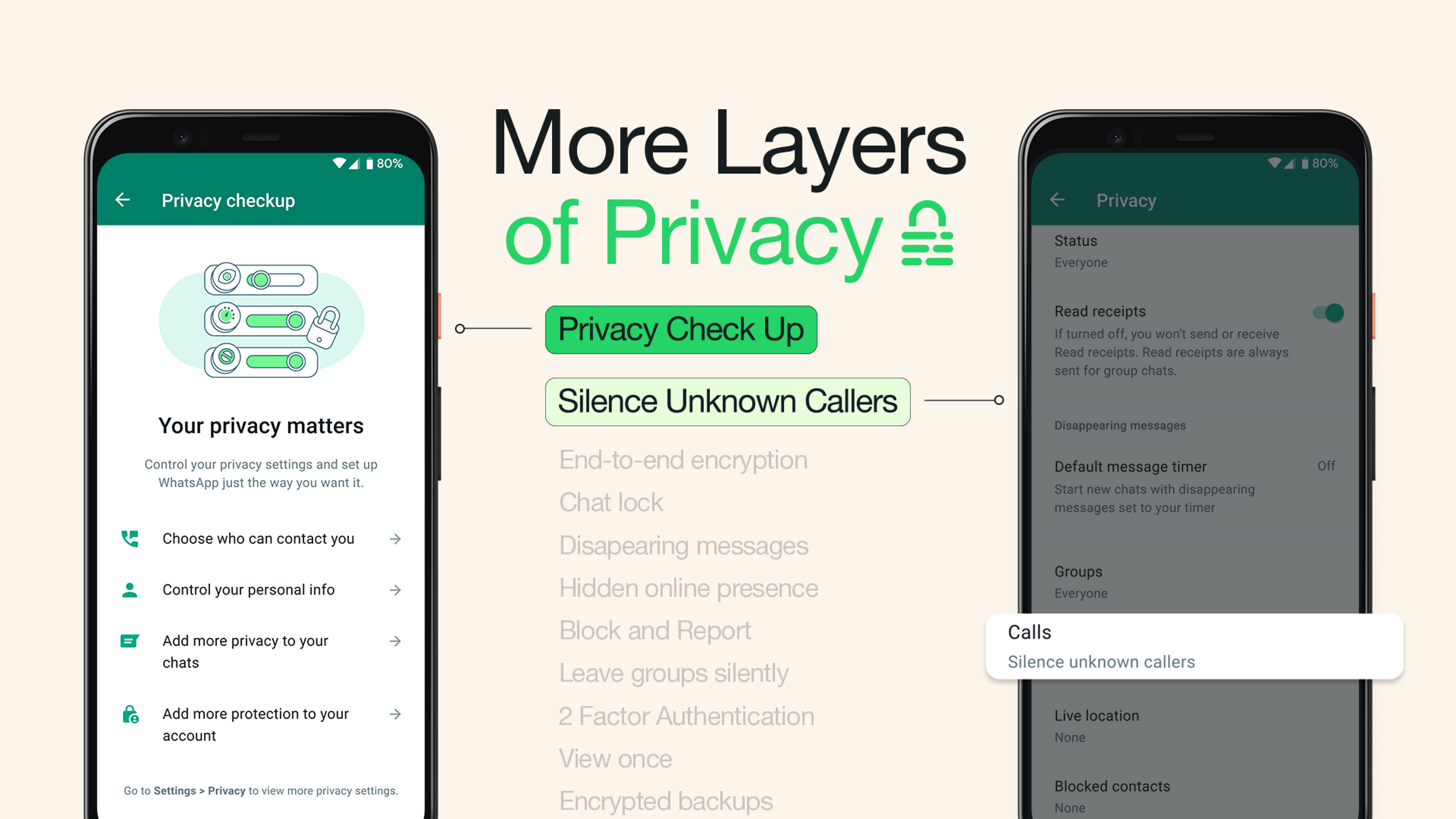
Privacy continues to be WhatsApp’s biggest focus.
Some important security tools now available include:
- Chat Lock
- Secret code for locked chats
- Two-step verification
- Encrypted backups
- Privacy Checkup tool
WhatsApp’s Privacy Checkup guides users step-by-step to secure their account and personal data.
This is especially important in 2026 as online scams and phishing attempts continue to rise.