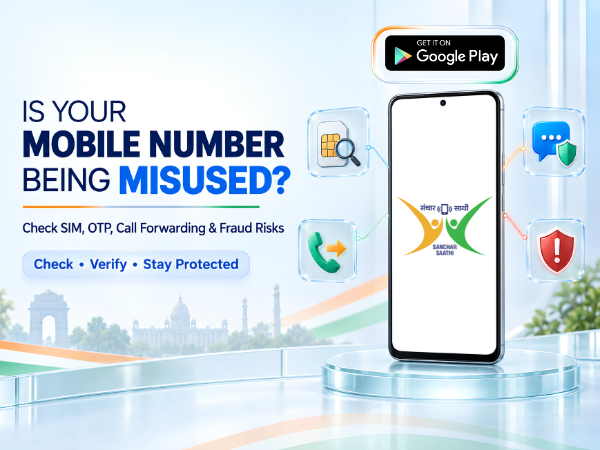
Your mobile number is connected to much more than calls and messages. It may be linked to your bank account, UPI apps, WhatsApp, email, social media accounts, Aadhaar-related services and other online accounts.
That is why suspected mobile number misuse should not be ignored.
If you're receiving OTPs you didn't request, noticing unexpected SIM activity, getting alerts for accounts you never created, or simply want to check whether another mobile connection has been issued in your name, there are several things you can check.
Here's a practical guide on how to check if your mobile number or identity is being misused in India.
What Does Mobile Number Misuse Mean?
Mobile number misuse can refer to different situations.
For example, someone may:
- Obtain a SIM connection using your identity without your knowledge
- Attempt to access an account linked to your number
- Trigger OTPs for services you didn't request
- Try to take control of your SIM through fraudulent means
- Impersonate you using your phone number
- Activate call forwarding without your knowledge
- Use your personal information for fraudulent communications
The signs and appropriate action depend on what kind of misuse is taking place.
1. Check How Many Mobile Connections Are Issued in Your Name
One of the first things you should check is whether there are mobile connections associated with your identity that you don't recognize.
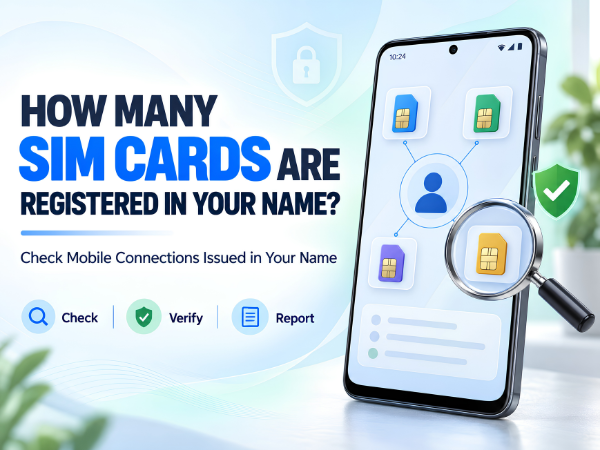
The Government of India's Sanchar Saathi platform provides the TAFCOP – Know Mobile Connections in Your Name facility.
It allows subscribers to check mobile connections issued in their name and report connections they did not obtain or no longer require.
Sanchar Saathi – Know Mobile Connections in Your Name
How to Check
Open the official Sanchar Saathi/TAFCOP service.
Enter your mobile number and complete the required OTP verification.
Review the mobile connections displayed against your details.
If you recognize all the connections, there may be nothing further to do.
If you find an unknown number, use the reporting option available through the portal.
2. Watch for OTPs You Didn't Request
An unexpected OTP doesn't automatically mean someone has accessed your account. It can happen because someone entered your number accidentally.
However, repeated OTPs from banking, UPI, email, social media or other services you haven't tried to access deserve attention.
Never share an OTP with anyone, even if the caller claims to represent:
- Your bank
- Telecom operator
- Government department
- Customer care
- UPI provider
- Police
- Courier company
A legitimate support representative should not need your confidential OTP, UPI PIN or banking password.
3. Check for Unexpected Loss of Mobile Network
If your SIM suddenly stops receiving network service, don't automatically assume it's a temporary signal problem.
Try restarting the phone and checking whether other people using the same network have service.
If your SIM continues to show No Service, especially alongside suspicious account activity, contact your telecom operator through its official support channel.
Unexpected loss of service can have several ordinary causes, but it can also require investigation if you suspect an unauthorized SIM-related change.
4. Check Call Forwarding Settings
If you're worried about calls being redirected without your knowledge, check the call-forwarding settings on your smartphone.
On many Android phones, the option can be found somewhere under:
Phone App → Settings → Calling Accounts / Supplementary Services → Call Forwarding
The exact path depends on your smartphone model, Android version and telecom operator.
Check forwarding settings for:
- Always forward
- When busy
- When unanswered
- When unreachable
Don't panic if you see a forwarding number. Telecom operators may legitimately use call forwarding for services such as voicemail.
If you don't recognize a setting, verify it with your telecom operator before changing it.
5. Check Your WhatsApp Linked Devices
If someone has gained access to your WhatsApp account or you've accidentally left it connected to another computer, you should review linked devices.
Open:
WhatsApp → Settings/Menu → Linked Devices
Review every device shown.
If you see a computer or browser session you don't recognize, log it out.
You should also enable two-step verification in WhatsApp for additional account protection.
6. Review Your Google Account Devices
Your Android smartphone is likely connected to a Google Account containing emails, photos, contacts and other personal information.
Check devices currently signed into your Google Account.
Go to your Google Account's security settings and review Your devices.
If you find a device you don't recognize, follow Google's security options to secure the account and sign out suspicious sessions.
Also change your password if you believe someone else may know it.
7. Check Banking and UPI Alerts
Pay close attention to SMS messages and notifications from your bank and UPI applications.
Look for:
- Transactions you didn't make
- Login alerts
- UPI registration attempts
- New beneficiary alerts
- Password-reset messages
- OTPs you didn't request
If you notice an unauthorized financial transaction, contact your bank or payment provider immediately through its official channel.
For financial cyber fraud in India, the Indian Cybercrime Coordination Centre advises victims to report financial cyber fraud through 1930 and the National Cybercrime Reporting Portal.
National Cybercrime Reporting Portal
8. Check for Suspicious Apps on Your Phone
Go through the applications installed on your smartphone.
If you notice an app you don't remember installing, investigate it before giving it access to your information.
Also review sensitive permissions, particularly access to:
- SMS
- Phone
- Contacts
- Microphone
- Camera
- Accessibility
- Notifications
- Location
On Android, these options are generally available under:
Settings → Security & Privacy / Privacy → Permission Manager
The exact menu can vary by smartphone.
9. Be Careful with Fraud Calls and Messages
Fraudsters frequently use urgency to make people act without thinking.
Be suspicious of messages or calls claiming:
"Your SIM will be blocked today."
"Your KYC has expired."
"Share the OTP to keep your number active."
"Your bank account will be suspended."
"Download this app for verification."
Do not install unknown apps, click suspicious links or share confidential information simply because someone claims to be from customer support.
10. Report Suspicious Calls and Messages Through Chakshu
Sanchar Saathi also provides Chakshu, which allows citizens to report suspected fraudulent communications received through calls, SMS or WhatsApp. DoT lists examples including fake KYC-expiry messages, impersonation of government officials, fake customer-care communications and other suspected fraud.
Report Suspected Fraud Communication – Chakshu
Chakshu is intended for reporting suspected fraud communications. If you've already lost money to cybercrime, use the cybercrime reporting channels instead.
Signs Your Mobile Number May Need Further Investigation
Pay attention if several unusual things happen together, such as:
- Your SIM unexpectedly stops working
- You repeatedly receive OTPs you didn't request
- You find unknown connections issued in your name
- Your WhatsApp account unexpectedly logs out
- You receive password-reset notifications you didn't initiate
- You notice unfamiliar devices signed into important accounts
- Unauthorized banking or UPI transactions appear
- Your contacts receive strange messages supposedly from you
One isolated event may have an innocent explanation, but multiple unexplained events should be investigated promptly.
What Should You Do If You Suspect Mobile Number Misuse?
Start by securing the accounts that matter most.
Change compromised or potentially exposed passwords, review logged-in devices and enable two-factor authentication where appropriate.
Then check mobile connections associated with your identity through Sanchar Saathi/TAFCOP.
Contact your telecom operator if you suspect an unauthorized SIM change or your number unexpectedly stops working.
If money has been stolen through cyber fraud, immediately contact the relevant bank/payment provider and report the incident through 1930 and the National Cybercrime Reporting Portal.
How to Keep Your Mobile Number Safer
A few precautions can significantly reduce your risk:
- Never share OTPs with anyone.
- Never disclose your UPI PIN.
- Use strong and different passwords for important accounts.
- Enable two-factor authentication.
- Keep your smartphone software updated.
- Don't install APK files received from unknown sources.
- Avoid clicking suspicious SMS or WhatsApp links.
- Regularly review WhatsApp and Google logged-in devices.
- Periodically check mobile connections issued in your name.
- Use official websites and apps for banking and government services.
Your phone number has effectively become part of your digital identity, so protecting it is just as important as protecting your smartphone.
Need Help with Your TECNO, Infinix or itel Smartphone?
If you suspect the problem is related to your smartphone itself, such as unusual software behaviour, unknown apps, SIM detection problems or other device issues, Carlcare provides official after-sales support for TECNO, Infinix and itel smartphones in India.
📞 Contact Us: 1800-4190-525
📍 Find a Service Center:
Find a Carlcare Service Center
📅 Book a Repair:
Book a Repair Appointment
If you suspect financial fraud, contact your bank/payment provider immediately and report cyber financial fraud through the official government channels. Menu names and security options may vary by smartphone model and software version.