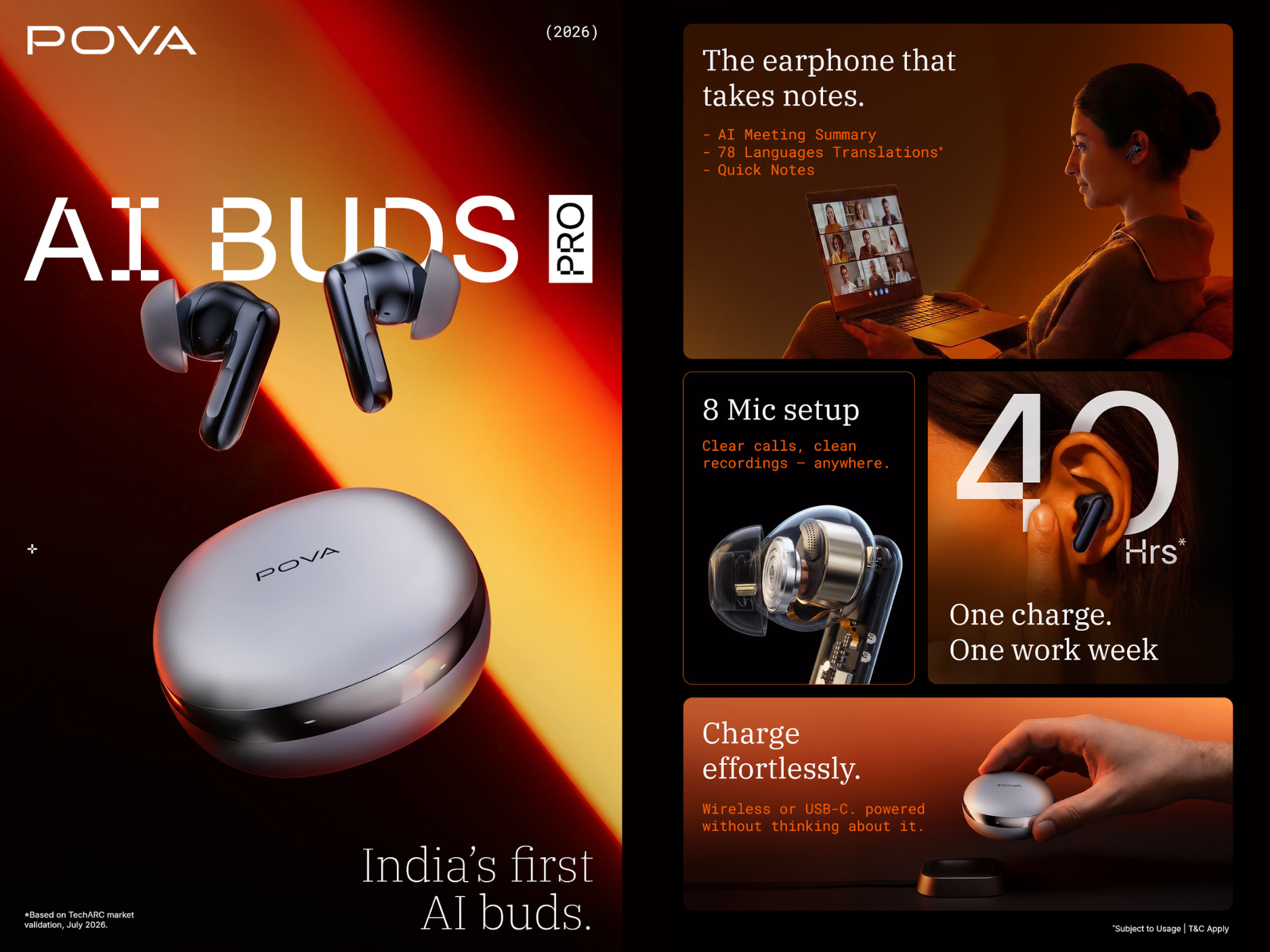
Artificial intelligence is no longer limited to smartphones and computers. AI is now making its way into everyday accessories, including wireless earbuds. TECNO AI Buds bring the idea of smarter audio to users who want more than just listening to music or taking calls.
Designed around AI-powered experiences, TECNO AI Buds aim to make everyday communication, entertainment, and smartphone interaction more convenient.
If you're wondering what TECNO AI Buds are, what their AI features can do, and how to use them, here's everything you need to know.
What Are TECNO AI Buds?
TECNO AI Buds are smart wireless earbuds designed to combine everyday audio functionality with AI-assisted features.
Instead of using wireless earbuds only for music and calls, the idea behind AI-powered earbuds is to make them a more intelligent companion for your smartphone.
Depending on the supported feature, AI can assist with communication, voice interactions, productivity, and the overall listening experience.
What Makes TECNO AI Buds Different?
Traditional TWS earbuds mainly focus on music playback, calls, microphones, and touch controls.
AI-enabled earbuds take this experience further by integrating intelligent software features.
For users, this can mean easier access to AI functions without constantly taking their smartphone out of their pocket.
AI-Powered Voice Assistance
One of the biggest advantages of AI-enabled earbuds is convenient voice interaction.
Instead of repeatedly unlocking your smartphone and manually searching for information, compatible AI functionality can make it easier to interact through voice.
This type of hands-free experience can be particularly useful when you're:
- Walking
- Travelling
- Exercising
- Commuting
- Working
- Multitasking
It turns your earbuds from a simple listening accessory into a more interactive companion.
AI for Smarter Communication
AI has the potential to make communication through earbuds more convenient.
Depending on the supported software features and connected device, AI-powered functions may assist users with tasks such as understanding conversations, processing spoken information, or accessing intelligent assistance through voice.
This can be especially useful for people who frequently use their earbuds for work calls, travel, study, or everyday communication.
Hands-Free AI Experience
Imagine you're travelling and need some quick information, but you don't want to stop and type on your smartphone.
With AI-integrated earbuds, compatible voice-based features can make these interactions much easier.
You speak, the AI processes your request, and the earbuds allow you to hear the response.
This creates a more natural way of interacting with your smartphone and AI services.
Music and Entertainment
Of course, AI isn't the only reason people use wireless earbuds.
TECNO AI Buds are also designed around the everyday TWS experience, allowing users to enjoy audio wirelessly from their smartphones.
They can be useful for:
- Listening to music
- Watching movies
- Streaming YouTube
- Listening to podcasts
- Online classes
- Video calls
- Gaming
- Voice calls
Wireless earbuds also remove the inconvenience of tangled cables, making them particularly useful while travelling or exercising.
Calling with TECNO AI Buds
Wireless earbuds have become an important accessory for people who frequently attend calls while travelling or working.
With TECNO AI Buds connected to a compatible smartphone, users can communicate without continuously holding their phone.
AI-assisted audio technologies can also play an important role in modern earbuds by helping improve voice processing and communication in challenging environments.
How Do TECNO AI Buds Work?
Like other wireless earbuds, TECNO AI Buds connect to a compatible smartphone wirelessly.
The basic process is simple:
Step 1: Charge Your Buds
Make sure the earbuds and charging case have sufficient battery before pairing.
Step 2: Enable Bluetooth
Open:
Settings → Bluetooth
on your smartphone and switch Bluetooth on.
Step 3: Put the Earbuds in Pairing Mode
Open the charging case or activate pairing mode according to the instructions supplied with your TECNO AI Buds.
Step 4: Select Your TECNO Buds
Look for the earbuds under the available Bluetooth devices on your smartphone.
Tap the device name to connect.
Step 5: Start Using Your Buds
Once connected, you can use the earbuds for compatible functions such as:
- Music
- Calls
- Videos
- Voice interaction
- AI-supported functions
The exact controls and available AI functions can depend on the earbuds, connected smartphone, software version, and supported services.
Who Are TECNO AI Buds For?
TECNO AI Buds can be particularly useful for people who want their wireless earbuds to do more than simply play music.
Students
Students can use wireless earbuds for online classes, educational videos, podcasts, calls, and compatible AI-assisted tasks.
Professionals
For people who spend a lot of time attending meetings or calls, smart earbuds can make hands-free communication more convenient.
Travellers
Wireless earbuds are already useful while travelling, and AI-powered functionality can make them even more practical for compatible voice-based assistance.
Content Consumers
If you regularly watch movies, YouTube videos, Reels, podcasts, or listen to music on your smartphone, wireless earbuds provide a convenient personal listening experience.
AI Enthusiasts
If you enjoy experimenting with the latest AI features and smart devices, AI-enabled earbuds represent another way artificial intelligence is becoming part of everyday technology.
Tips to Get the Best Experience from TECNO AI Buds
To keep your earbuds performing properly:
Keep them charged: Regularly charge both the earbuds and charging case.
Keep Bluetooth enabled: A stable Bluetooth connection is important for uninterrupted audio.
Keep your smartphone updated: Software updates can improve compatibility, security, and performance.
Clean the earbuds regularly: Earwax and dust can block the speaker mesh and affect sound quality.
Store them in the charging case: Keeping the earbuds inside their case when not in use helps protect them and reduces the chances of losing them.
Check compatible features: AI capabilities may vary depending on the connected smartphone, region, software version, and supported services.
TECNO AI Buds Not Connecting? Try These Steps
If your TECNO earbuds are not connecting to your smartphone:
- Turn Bluetooth off and on again.
- Place both earbuds back inside the charging case.
- Make sure the earbuds have sufficient battery.
- Remove or "Forget" the earbuds from your phone's Bluetooth settings.
- Put the earbuds into pairing mode again.
- Reconnect them to your smartphone.
- Restart your phone if the problem continues.
Also check whether another nearby smartphone is automatically connecting to the earbuds.
Why AI Earbuds Could Become More Important
AI is gradually moving beyond apps and becoming integrated into devices we use throughout the day.
Smartphones can already generate images, summarize information, assist with writing, recognize objects, translate content, and respond to voice commands. Bringing AI capabilities closer to wearable devices such as earbuds could make these experiences more natural and accessible.
Instead of constantly looking at a screen, users can increasingly interact with technology through voice.
TECNO AI Buds represent this shift toward a more connected ecosystem where smartphones, AI, and personal accessories work together.
Need Support for Your TECNO Device or Accessories?
If you're facing connectivity, software, audio, Bluetooth, or other issues with your TECNO device, Carlcare provides official after-sales support for TECNO users in India.
📞 Carlcare Toll-Free: 1800-4190-525
📍 Find a Carlcare Service Center:
https://www.carlcare.in/in/service-center/
📅 Book a Repair Appointment:
https://www.carlcare.in/in/repair-appointment/
Service availability and support may vary by product, model, and location.
T&C Apply.